

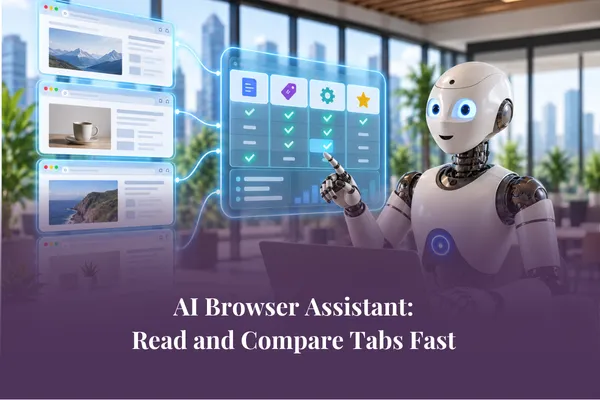
AI Browser Assistant: Read and Compare Tabs Fast
Short Answer: An AI browser assistant like Claude, Gemini or Manus can read several open tabs at once, pull out what matters, and compare options for you - so you skip the copy-paste shuffle and get to a decision faster.
You know the drill. You're researching a supplier, a tool, or a decision for the business. You end up with eight tabs open and a growing headache.
You read one, forget half of it, read the next, then try to hold both in your head while you open a third. By tab five, you've lost the thread.
There's a faster way, and it doesn't involve more discipline. It involves letting your AI browser assistant do the reading and comparing with you.
What an AI browser assistant does across tabs
An AI browser assistant is the AI built into or connected to your browser. Its real strength shows up when you have lots of pages open.
Instead of reading every word yourself, you can ask it to:
Read across all your open tabs and pull out the key points
Spot where two sources agree or disagree
Compare options against the things you actually care about
Turn a wall of text into a short, clear summary you can act on
The copy-paste shuffle disappears. You stop moving information around by hand and start working with the parts that matter.
This is the difference between dabbling and building a real system. On a recent episode of The AI Grapple, AI strategist Sarah Daly talks about using AI as a genuine thinking partner rather than something you outsource your judgement to. That's the mindset here. The assistant reads and sorts; you decide.

A simple example most owners will recognise
Say you're choosing between three project management tools. You've got a tab open for each.
The old way: read each pricing page, each feature list, each set of reviews. Take notes. Try to line them up. Lose an afternoon.
The AI browser assistant way: with the three tabs open, ask it to compare the tools on the points that matter to you - price, ease of use, team size, and whether it handles the one feature you can't live without.
You get a clear side-by-side in seconds. Then you check it, because the final call is yours. You've saved the afternoon and kept the decision.
How to ask for a genuinely useful comparison
The quality of what you get back depends on how you ask. A vague request gets a vague answer.
This is where a simple prompting habit helps. Kate teaches the SNAP approach - a way of shaping your request so the AI knows exactly what you need.
The two parts that matter most for comparing across tabs are:
Name the task. Be clear about what you want and what a good result looks like. "Compare these three tools" is weak. "Compare these three tools on price, team size limits and reporting, then tell me which suits a team of eight" is strong.
Add the specifics. Give it the details that shape a good answer - your budget, your must-haves, your deal-breakers.
Think of it like seeing a doctor. If you only say "I don't feel well," you'll get a general answer. Share your symptoms and history, and you get something useful. Your AI browser assistant works the same way.
Where this saves the most time
Reading and comparing across tabs pays off most in the jobs you do often. A few that come up again and again:
Supplier and tool research. Weighing options without reading every page top to bottom.
Competitor checks. Scanning several sites and pulling out what's changed or what stands out.
Catching up on a topic. Turning five long articles into the five points you actually need.
Client prep. Reading background across a few tabs before a call, fast.
None of these are glamorous. They're the quiet time-drains that eat a small business owner's week. Clearing them is where the momentum comes from.
Keep your judgement in the loop
A word of caution, because it matters. An AI browser assistant is fast and helpful, but it isn't always right.
It can miss the tone of a review. It can read a page in a way you wouldn't. It can be confidently wrong.
So treat its summary as a strong first draft, not the final word. AI drafts, humans review, humans publish. You skim the source, sanity-check the comparison, and make the call yourself. That habit is what keeps the speed from costing you accuracy.
This is also why starting small works best. Try it on one low-stakes comparison this week. See how close it gets. Build trust in it the way you'd build trust in a new team member - gradually, and by checking the work.
If you're new to the idea of browser AI, our earlier post on what AI in your browser is and why it matters is a good place to start.
And once you're comfortable reading and comparing, the natural next step is drafting. That's next in this series: how to draft a reply right inside the page.
The shift worth making
Most owners use AI to summarise the odd article. That's fine, but it's a fraction of what's possible.
The shift is to stop thinking of your browser as a stack of tabs you have to plough through alone. Start treating it as a place where an assistant reads and sorts alongside you.
That's not about working harder. It's about getting to good decisions with less friction, and getting your time back for the work only you can do.
Want to build this into a real system?
Reading and comparing across tabs is one skill. Turning it into a repeatable way of working is where the real time savings come from.
Inside the AI Success Lab Elite Membership, you get hands-on workshops and live Prompt-a-Thons where you build these systems for your own business, with support at every step. No theory. Real tasks, solved with you.
👉Explore the Elite Membership and start building your AI systems.
Frequently Asked Questions
What is an AI browser assistant?
It's an AI tool built into or connected to your web browser, such as Claude, Gemini or Manus. It can read across your open tabs, summarise pages, and compare options without you copying and pasting.
Can AI really read all my open tabs at once?
Many browser AI tools can read the pages you have open or that you point it to, then pull the key points together. What each tool can access varies, so it's worth testing on a small task first.
How do I get a better comparison from AI?
Name the task clearly and add specifics. Tell it what to compare, on which points, and what a good result looks like for your situation. The clearer the request, the more useful the answer.
Is it safe to use for business research?
For public web research, yes. Take more care with anything sensitive or confidential, and always review the output before you act on it. You stay responsible for the final decision.
Will this replace my own research?
No. It speeds up the reading and sorting so you can spend your time on judgement, checking sources and making the call. The thinking stays with you.