
The New ChatGPT Explained: What's Changed and Why It Matters
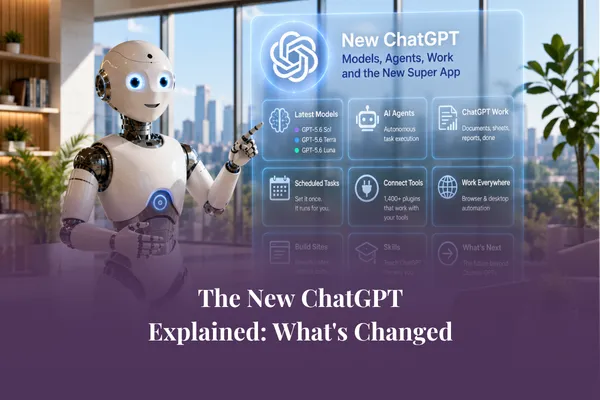
Short Answer: ChatGPT in 2026 is no longer just a chatbot. It now includes a new family of models (GPT-5.6 Sol, Terra and Luna), a Work app that produces finished documents and spreadsheets, scheduled tasks that run while you do something else, over 1,400 plugins that connect to your existing tools, and the ability to work directly in your browser and on your computer. If you're still using it as "one chat, one answer, copy, paste, repeat", you're using a fraction of what you're paying for.
When was the last time you changed how you use ChatGPT?
For most business owners we work with, the answer is somewhere between "a year ago" and "never". You open a chat, type a question, get an answer, copy it, paste it somewhere else, tidy it up, and move on. One chat. One answer. Repeat.
That workflow made sense in 2024. In 2026, it's a bit like owning a car and only ever using it as a place to sit.
Over the past few months, ChatGPT has quietly become a completely different product - and most people haven't noticed, because the chat box still looks like the chat box. In this post, we'll walk through what's actually changed, in plain English, so you can decide what deserves your attention. This is the first post in our August series on the new ChatGPT, and over the coming weeks we'll go deeper into each piece.
From Chatbot To Super App
The biggest shift isn't any single feature. It's the direction of travel.
ChatGPT is becoming what the tech world calls a "super app" - a single place where you don't just ask questions, you get work done. Research, documents, spreadsheets, reports, websites, scheduled tasks, connections to the tools you already use. The chat window is still there, but it's now the front door to something much bigger.
Why does this matter for a small business? Because the gap is widening between people who use ChatGPT as a fancy search engine and people who use it as a working member of the team. Not because one group is smarter - simply because one group knows what's now possible.
The good news: none of this requires technical skills. It requires knowing what's there, and matching it to the right tasks in your business. As we always say - focus on the task, not the tool.

The new models: Sol, Terra and Luna
Let's start with the engine room. In July 2026, OpenAI released a new family of models called GPT-5.6, with three tiers: Sol, Terra and Luna.
Here's the simplest way to think about them:
Sol is the deep thinker. It's the flagship model, built for complex reasoning and professional work - the tasks where quality really matters and mistakes are expensive.
Terra is the everyday workhorse. It balances capability, speed and cost, and it's well suited to most routine business tasks.
Luna is the sprinter. It's the fastest and most affordable of the three, built for simple, high-volume work.
Now, here's the part most articles skip: inside the ChatGPT app, you mostly don't need to pick between them. ChatGPT routes your request to the right model, and paid plans get access to the deeper reasoning of Sol when a task calls for it. The model picker has really become a thinking picker - you're choosing how much effort a task deserves, not memorising model names.
The practical takeaway is a mindset shift. Before you type a prompt, ask yourself: is this a quick task or a quality task? A subject line for tomorrow's email is a quick task. Analysing a year of client feedback to shape next year's offers is a quality task - and it's worth telling ChatGPT to think harder, take longer, and reason more deeply. You'll get noticeably better results simply by matching the effort to the task.
ChatGPT Work: Hand Over The Task, Get Back The Finished Work
This is the headline change - and the one we think will matter most to small business owners.
ChatGPT Work is a new mode where, instead of chatting back and forth and assembling the pieces yourself, you hand over a whole task and get back a finished output: a document, a spreadsheet, a presentation, a report. It gathers context from the files and tools you choose to connect, makes a plan, does the work, and checks in when it needs your judgement or approval.
Think about what that replaces. The old workflow for a client report might have been: ask ChatGPT for an outline, copy it into a document, ask for each section, paste, reformat, build the table yourself, fix the numbers. The new workflow: hand over the brief and the source material, and review the finished draft.
This is exactly the shift we explored in last month's series on AI agents - moving from asking AI questions to delegating tasks to it, the way you'd delegate to a capable team member. If you missed it, our post on what an AI agent is and what it can do for your business is the perfect companion to this series.
Two things make Work genuinely useful rather than just impressive:
Scheduled tasks. You can set work to run on a schedule - a weekly summary of your inbox, a Monday morning brief pulled from your calendar and project notes, a monthly report drafted before you've had your coffee. The work keeps moving while you're doing something else.
Plugins. There are now more than 1,400 plugins that connect ChatGPT to the tools you already use - email, calendars, Google Drive, Slack, CRMs and more. Instead of copying information in and out, ChatGPT can pull context directly from where your business actually lives.
One important caveat, and it's the one we'll keep repeating all month: finished-looking is not the same as finished. Review the numbers, check the sources, and keep a human between the draft and the send button. AI drafts, humans review, humans publish.
Beyond The Chat Window: Your Browser, Your Computer, And Sites
The other big change is that ChatGPT is stepping out of the chat window entirely.
On the desktop app, ChatGPT can now work in a browser and use your computer - clicking, navigating, filling in forms and completing tasks right on your screen, with you watching and approving as it goes. It's early days for this kind of capability, and we'd recommend starting with low-stakes tasks, but the direction is clear: AI is moving from answering questions about work to actually doing the work where the work happens.
Then there's Sites - a feature that lets you turn ideas, plans and data into simple interactive websites and web apps without touching code. Project trackers, dashboards, calculators, client-facing pages. For anyone who followed our June series on interactive content and vibe coding, this will feel familiar - it's another sign that building simple digital tools is no longer a developer-only activity.
Change Is Coming For Custom GPTs
If you've built Custom GPTs for your business, there's writing on the wall you should know about. OpenAI has introduced new ways of teaching ChatGPT how you work - including skills and a new generation of agents - and has signalled that Custom GPTs are being wound down for business accounts. Nothing is disappearing overnight, and there's no need to panic - but if you've invested in building GPTs, you'll want a plan.
We're dedicating the final post in this series to exactly that: what's replacing Custom GPTs, and what to do with everything you've built. It's also a topic Kate and Mari Smith touched on in episode 50 of The AI Grapple, in a wider conversation about agentic AI and staying human as these tools take on more of the work.
Where to start this week
You don't need to adopt all of this at once. In fact, please don't. Here's a sensible first week:
Pick one recurring task you currently do manually with ChatGPT's help - a weekly report, a content draft, a data summary.
Try handing over the whole task in ChatGPT Work rather than assembling it piece by piece. Give it the source material and a clear brief, including what the finished output should look like.
Review the result properly. Note what it got right, what it got wrong, and what you'd brief differently next time.
That single experiment will teach you more about the new ChatGPT than a dozen feature announcements - and it will set you up perfectly for next week's post, where we go deep on ChatGPT Work itself.
Most people are still using ChatGPT the way they did a year ago. You don't have to be one of them.
Ready to build a business where AI is doing the work, not just answering questions?
Join our free webinar, Create an AI-Powered Business, and we'll show you the exact system, step by step.
Frequently Asked Questions
What are the new ChatGPT models Sol, Terra, and Luna?
They're the three tiers of OpenAI's GPT-5.6 model family, released in July 2026. Sol is the flagship for complex reasoning, Terra balances capability and speed for everyday work, and Luna is the fastest, most affordable option. Inside the ChatGPT app, requests are mostly routed automatically, so your main job is deciding how much thinking a task deserves.
What is ChatGPT Work?
ChatGPT Work is a mode where you hand over a whole task and receive a finished output - a document, spreadsheet, presentation or report - rather than assembling answers from a chat. It gathers context from files and connected tools, plans the approach, and checks in when it needs your approval.
Do I need the paid version of ChatGPT to use these features?
Availability varies by feature and plan, and it's changing quickly. ChatGPT Work launched across paid plans and the desktop app, with broader rollout continuing. Check your plan's current inclusions before upgrading - and remember that the right question isn't "which plan?" but "which tasks in my business would this actually help with?"
Are Custom GPTs going away?
OpenAI has signalled that Custom GPTs are being deprecated for business accounts, with newer approaches - skills and next-generation agents - taking their place. Nothing has disappeared overnight, but if you've built Custom GPTs, it's worth planning your transition now. We cover exactly what to do in the final post of this series.
Is it safe to let ChatGPT work in my browser or on my computer?
Treat it like a new team member on their first week: start with low-stakes tasks, watch what it does, and keep approval steps in place. Never hand over tasks involving sensitive data or irreversible actions until you've built confidence - and always keep a human review step before anything is sent or published.